Automatic OTT Logout for Hotel TVs
A dependable, staff-visible checkout routine for the room TV: guest OTT sessions are signed out when the stay ends, and when a device is offline or a sign-out can’t complete, staff can see and resolve it. This page sets out the supported scope, how the checkout clear is triggered, and what happens if it fails.
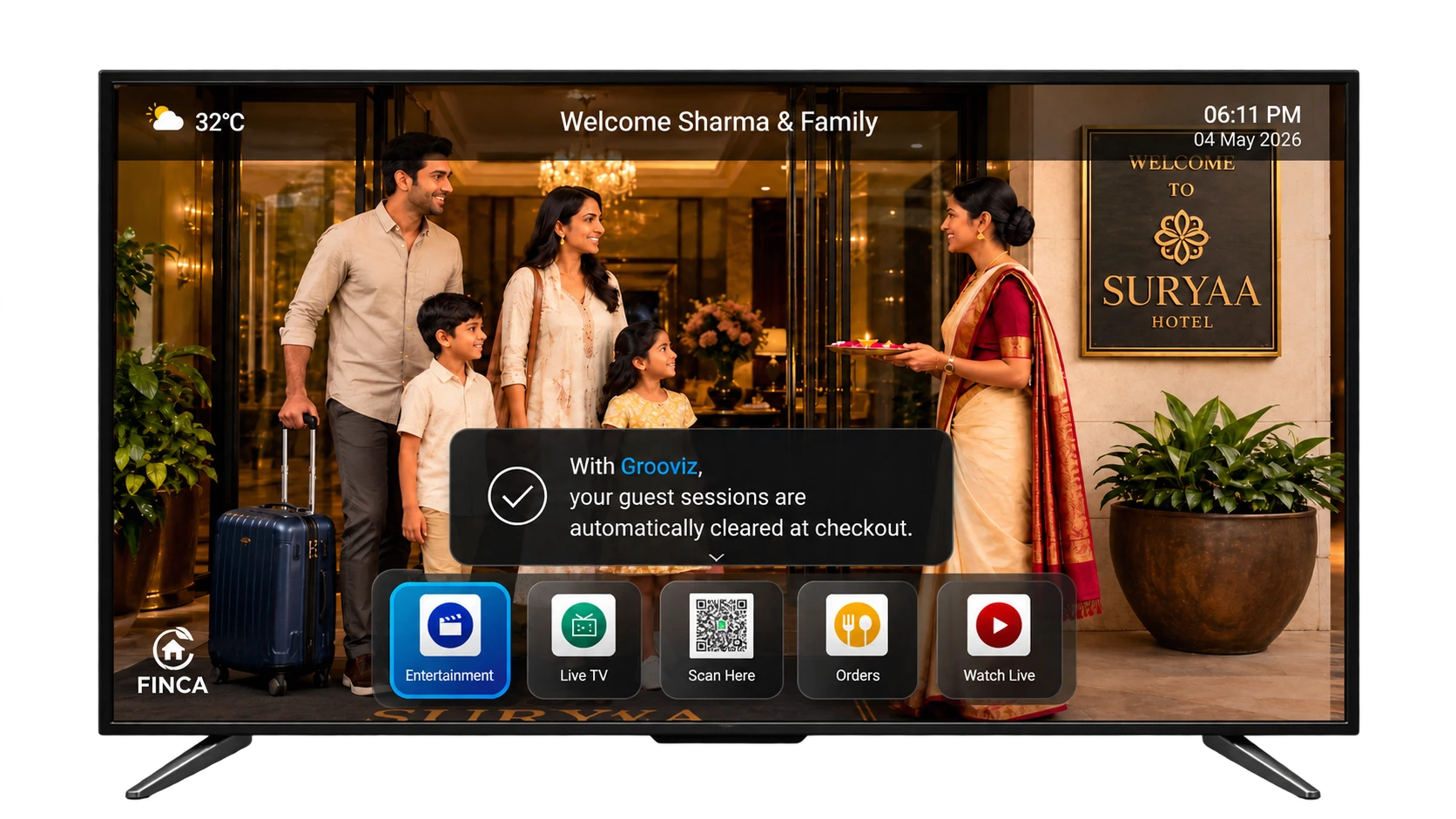
At checkout, Grooviz signs out guest OTT sessions on the room TV so the next guest starts fresh — within a defined, tested scope rather than an absolute guarantee.
What the checkout clear actually does
The value is operational: your team doesn’t have to walk each room to sign guests out of streaming apps. We describe the real control and its dependencies rather than promising it removes all risk everywhere.
- On checkout, the Grooviz device signs out the guest OTT sessions on that room’s TV and resets the experience for the next guest.
- It also clears the in-progress session state on the device (such as a cart or locally stored guest details) so nothing visibly carries over.
- The clear operates on the room TV via the Grooviz device — it does not reach into or delete anything on a guest’s personal phone, tablet or external accounts.
We describe the tested scope rather than claiming it clears "every account" or "eliminates all privacy risk". The exact list of apps and behaviours validated for your property is confirmed during the demo.
What actually changes
Guest OTT sessions — signed out
Supported apps are logged out on the room TV when the stay ends.
On-device state — reset
Cart, session data and locally stored guest details are cleared for the next guest.
Staff visibility — maintained
Cleared vs. pending rooms are visible to staff, with manual retry available.
Guest OTT sessions signed out and the room reset — ready for the next arrival.
Supported apps & devices
Automatic sign-out is validated against a defined set of apps and the Grooviz device, rather than assumed for everything.
- Supported OTT apps for automatic sign-out are confirmed per deployment — common apps include Netflix, YouTube and Prime Video, verified for your setup.
- The clear runs on the Grooviz device attached to the room TV; it is tied to that device, not to the guest’s personal hardware.
- Apps outside the supported list, or that change their sign-in behaviour, are flagged so expectations are set correctly.
How checkout is triggered
The clear is initiated by a checkout event. We confirm which trigger mechanism your property uses rather than implying all exist.
- Staff-triggered reset — your team marks the room checked out (or triggers a reset) from the Grooviz tools, and the device performs the clear.
- PMS-triggered checkout — where a property-management-system integration is in place and supported, checkout can trigger the clear automatically. Availability is confirmed per property.
- The supported trigger for your property is agreed during setup so there is no ambiguity about what fires the clear.
The full lifecycle, start to finish
Guest signs in
During the stay, the guest signs into their own OTT apps on the room TV with their personal accounts.
Checkout is triggered
At the end of the stay, checkout is triggered — by staff, or by a supported PMS integration where available.
Sessions are signed out
The device signs out the supported OTT sessions and resets the on-device session state for the room.
Fresh for the next guest
The next guest arrives to a clean TV with no previous sign-ins visible. Pending clears are completed once a device is back online.
Central vs. in-room: Checkout triggers and the supported app list are configured centrally; the per-room reset runs on the device, with staff able to see status and retry.
Failure, offline & fallback behaviour
A clear can’t always complete the instant checkout happens — for example, if the device is offline or powered down. The system is designed so this is handled, not silently missed.
- If the device can’t receive or complete a checkout clear immediately (offline, powered off), the clear is marked pending rather than lost.
- The pending clear is applied once the device is reachable again, so the room still resets before the next guest where possible.
- Staff can see which rooms are cleared vs. pending/failed and can trigger a manual reset for any room that needs attention.
See it before you rely on it
Validate the exact behaviour on your setup before rolling it out.
- Watch a checkout logout demonstration end to end — sign-in, checkout and the fresh next-guest state.
- Confirm the supported apps, the checkout trigger your property will use, and how staff resolve a pending or failed clear.
- Agree the tested scope and any exclusions in writing.
What distinguishes Grooviz here is operational reliability and ease of use — staff visibility and a defined fallback — rather than claiming the general idea of checkout clearing is unique.
Common questions
Does it clear every account and remove all privacy risk?
We don’t claim that. It signs out guest OTT sessions within a defined, tested scope of supported apps on the room TV, and clears on-device session state. Personal devices and external accounts are outside that scope. The exact validated scope is confirmed for your property.
How is the clear triggered at checkout?
By a supported checkout event — a staff-triggered reset from the Grooviz tools, or, where a supported PMS integration exists, an automatic PMS-triggered checkout. We confirm which mechanism your property uses.
What happens if the TV device is offline at checkout?
The clear is marked pending rather than lost and is applied once the device is reachable again. Staff can see pending/failed rooms and trigger a manual reset.
Which apps are supported?
A defined set confirmed per deployment, commonly including Netflix, YouTube and Prime Video. Apps outside the supported list are flagged so expectations are clear.
How do staff know a room didn’t clear?
Room status shows cleared vs. pending/failed, so staff can identify and resolve any room that needs a manual reset before the next guest.
See the checkout logout for yourself
Watch the full checkout logout — guest sign-in, checkout trigger, sign-out and the fresh next-guest state — then book a property-specific demonstration to confirm the supported apps and how staff resolve a pending clear.
Watch Checkout LogoutExplore all features
SMART TV
Smart TV Conversion
Learn morePRIVACY
Automatic OTT Logout for Hotel TVs
Current pageSTREAMING
Live TV, IP TV & OTT Streaming
Learn moreAI
Multi-Lingual AI Concierge & Chatbot
Learn moreFOOD
In-Room Food & Service Ordering
Learn moreEVENTS
Live Wedding & Event Streaming to Selected Rooms
Learn moreOPERATIONS
Central Admin Dashboard & Staff Tools
Learn moreGUEST PASS
Self Check-In with GuestPass
Learn moreReady to see it on your TVs?
Upgrade every room screen with no hardware replacement. Talk to our team for a tailored walkthrough.
Get in touch