Central Admin Dashboard & Staff Tools
The control room for managers and IT. This page breaks the platform into the areas a buyer evaluates — central content management, staff workflow, access control, device monitoring and reporting — with the concrete workflow behind each, rather than a generic feature list.
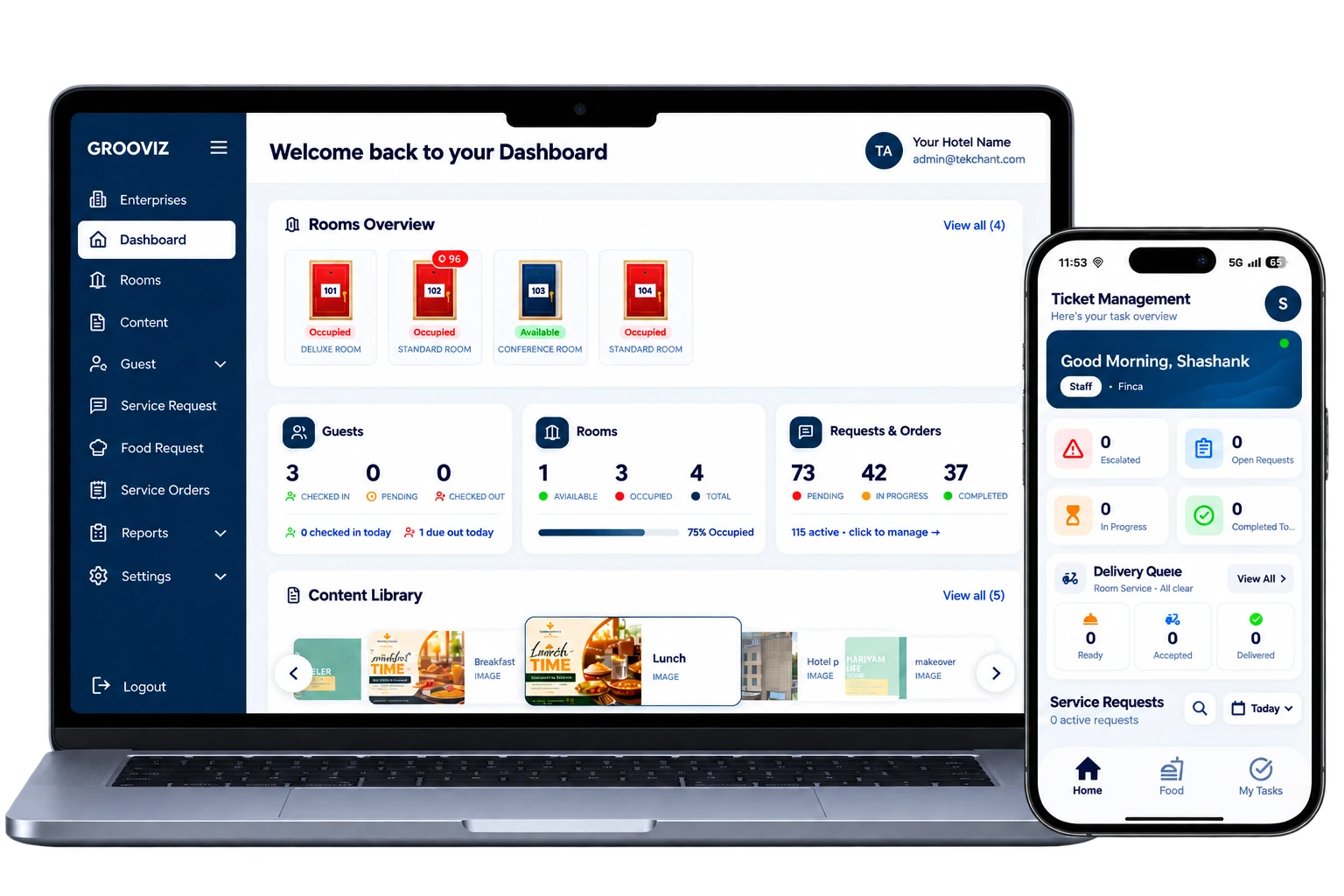
Central management, role-based staff workflows, device monitoring and operational reporting the tools managers and IT need to run the guest experience across one or many properties.
Central management
Everything above the TV is managed from one place and applied across rooms, so there are no per-room edits.
- Update branding, the welcome screen and the content library centrally.
- Manage menus, channel lineups and event channels for rooms or room groups.
- Push promotions and content changes across rooms without visiting each TV.
What actually changes
Every screen — managed centrally
Content, branding and channel lineups updated across all rooms from one dashboard.
Staff workflows — in one place
Orders, service requests and room status visible and actionable by the right team.
Device health & reports — live
Monitor device status, usage and property performance without leaving the dashboard.
The Grooviz dashboard content, workflows, device health and reports in one place.
Staff workflow
Guest requests move through a defined lifecycle so nothing is lost between departments.
- Requests are routed to the right department (kitchen, housekeeping, reception).
- Staff acknowledge, accept or reject, progress and close each request.
- Cross-department escalation handles anything that stalls; status syncs to the dashboard in real time.
Access, roles & multi-property
Access is permission-based and scoped, so each person sees only what they should.
- Role-based access means each user sees only the modules relevant to their job.
- Property boundaries keep each property’s rooms, menus and requests separate.
- Multi-property operators switch between properties from a single login.
Reporting
Engagement
See how guests are using the TV experience across rooms.
Orders
Review food and service order activity.
Requests
Track service-request volumes and handling.
Check-in activity
Review check-in activity where GuestPass is in use.
Central vs. in-room: Content, roles and configuration are managed in the admin dashboard; day-to-day request handling happens in the staff tools, with both feeding the same reports. Sample metrics are shown clearly labelled in the walkthrough.
Monitoring
Operators and IT can see the operational state of the estate rather than finding out from guests.
- Device status for rooms is visible from the dashboard.
- Operational alerts surface rooms that need attention.
- The exact alerts and status indicators available for your setup are confirmed during the walkthrough.
How to evaluate it
See the real screens before committing.
- Walk through the admin dashboard and a staff tool side by side.
- Review the available reports with clearly labelled sample metrics.
- Confirm roles, property boundaries and the monitoring/alerts available for your setup.
Screens and sample reports are shown during the walkthrough; figures are labelled as samples, not property guarantees.
Common questions
What can we manage centrally vs. per room?
Branding, menus, channels, promotions and room assignment are managed centrally and applied across rooms — there’s no per-room editing. Day-to-day request handling happens in the staff tools.
How does access control work?
Access is role-based and scoped to the properties a user manages, so each person sees only the modules relevant to them. Multi-property operators switch properties from one login.
Can we see device status and alerts?
Yes — device status for rooms is visible from the dashboard, with operational alerts for rooms needing attention. The exact indicators available for your setup are confirmed in the walkthrough.
What reports are available?
Engagement, orders, service requests and check-in activity (where GuestPass is used). We show the available reports with clearly labelled sample metrics rather than promising specific numbers.
Evaluating this for your team?
Book a walkthrough of the admin dashboard and staff tools — central content management, request workflows, roles and multi-property controls, device monitoring and the available reports.
See the Dashboard & Staff ToolsExplore all features
SMART TV
Smart TV Conversion
Learn morePRIVACY
Automatic OTT Logout for Hotel TVs
Learn moreSTREAMING
Live TV, IP TV & OTT Streaming
Learn moreAI
Multi-Lingual AI Concierge & Chatbot
Learn moreFOOD
In-Room Food & Service Ordering
Learn moreEVENTS
Live Wedding & Event Streaming to Selected Rooms
Learn moreOPERATIONS
Central Admin Dashboard & Staff Tools
Current pageGUEST PASS
Self Check-In with GuestPass
Learn moreReady to see it on your TVs?
Upgrade every room screen with no hardware replacement. Talk to our team for a tailored walkthrough.
Get in touch