Multi-Lingual AI Concierge & Chatbot
An on-screen assistant that handles the routine questions guests would otherwise call the front desk for — in their own language — and continues on their phone via a QR code. It works from the hotel information you maintain, and it hands off to your staff when a request needs a person. It assists the front desk; it does not replace it.
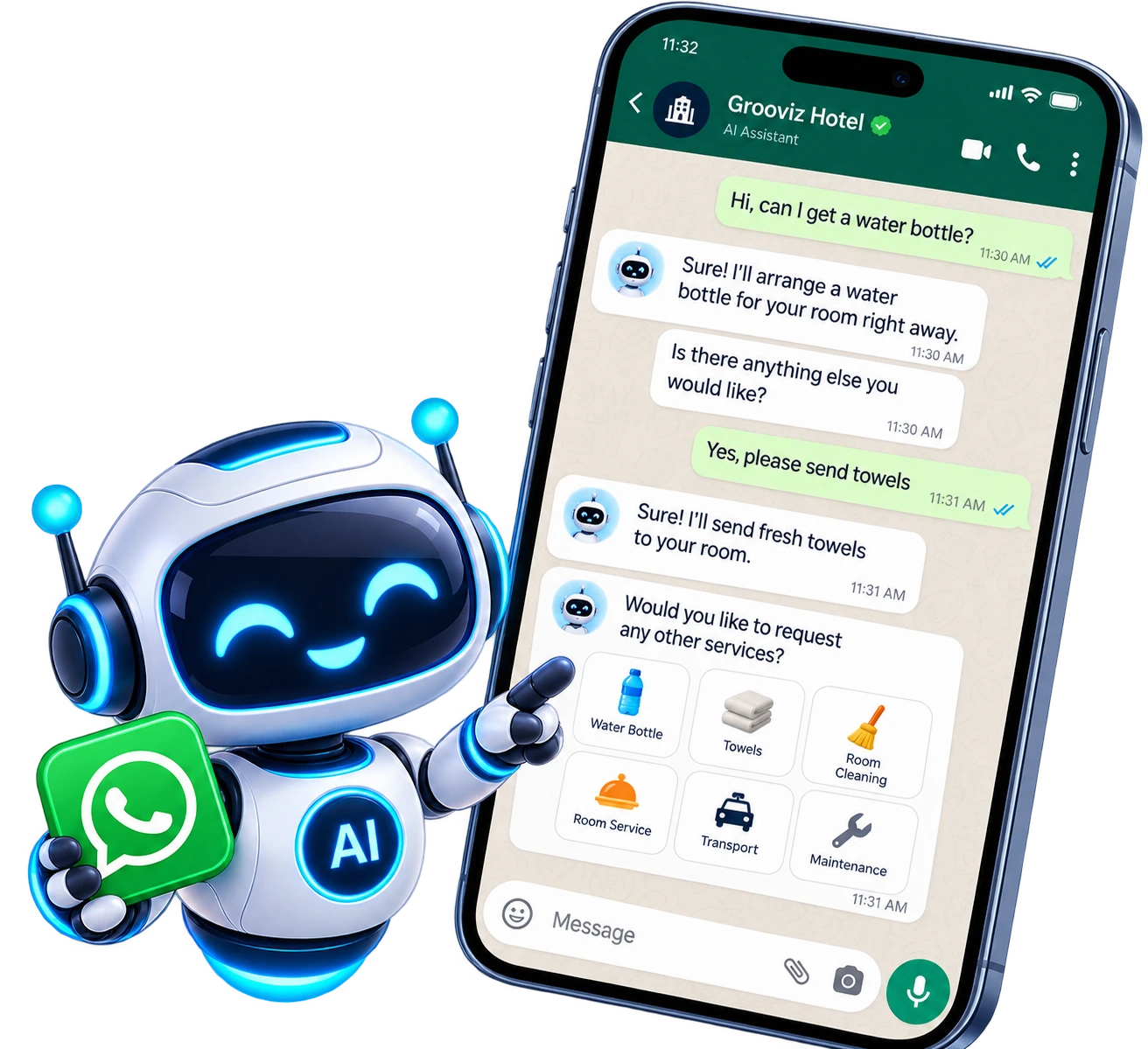
A multi-lingual guest assistant on the TV that answers common questions and raises requests, backed by your own hotel information and a real staff-handoff path.
What guests can actually ask
The assistant handles the routine, high-volume questions and requests that fill up the front desk line. A few real examples:
- "What time is breakfast?" — it answers from your configured dining hours and can point the guest to the in-room menu.
- "Can I get extra towels?" — it raises a housekeeping request for the room and confirms it has been logged.
- "What’s good to see nearby?" — it gives local recommendations based on the information the property maintains.
- It replies in the guest’s own language, so non-native speakers get help without waiting for a staff member who speaks it.
What actually changes
Guest questions — answered instantly
Breakfast times, nearby recommendations, room info — answered from your hotel data.
Any language — supported
Guests ask in their own language; the assistant responds in kind.
Staff — still in control
Anything the assistant can't resolve is handed off to your team through the staff tools.
The on-screen assistant answering a guest question, with staff handoff for anything it can't resolve.
Where guests interact — TV, phone & chat
The experience starts on the TV and can continue on the guest’s own phone. We confirm exactly which channels are enabled for your property.
- On the TV — guests interact with the assistant directly from the room television.
- Continue on mobile — scanning the on-screen QR code opens the experience in the guest’s phone browser, scoped to their room. No app download.
- Chat / WhatsApp handoff — where enabled, guests can continue the conversation or reach your team via chat. The available channels are confirmed per deployment rather than assumed.
Where the answers come from
The assistant is only as good as the information behind it, so it works from content your team controls — not guesses.
- Hotel information — dining hours, policies, amenities, local recommendations and FAQs — is configured by your team in the admin dashboard.
- Staff update that information centrally, and changes apply to the assistant without touching each room.
- Keeping the content current is what keeps answers accurate; the assessment covers how your team will maintain it.
How a guest journey flows
Start on the TV
The guest opens the assistant from the room TV and asks a question in their language.
Get an instant answer
It answers from your configured hotel information, or raises a service request on the guest’s behalf.
Continue on mobile
Scanning the on-screen QR code moves the conversation to the guest’s phone browser, scoped to their room.
Hand off to staff
If the request needs a person, it escalates to your team through the staff tools.
Central vs. in-room: The knowledge, languages and enabled channels are configured centrally; the per-room experience is delivered on the device, with escalations routed to your staff.
Human handoff & escalation
The assistant is designed to extend your team, not replace it. Anything it can’t confidently answer goes to a person.
- Questions it can’t answer, or requests that need judgement, are escalated to your staff rather than guessed at.
- Service requests it raises (like housekeeping) flow into the same staff tools your team already uses.
- It does not take over all front desk functions — complex, sensitive or exception cases are handled by people.
Plan inclusions & limits
What’s included — supported languages, channels and any usage limits — depends on your plan.
- Supported languages and the enabled interaction channels are confirmed for your property.
- Any usage limits or plan-tier inclusions are set out in your proposal rather than implied here.
- Start with a demo on representative rooms before rolling out property-wide.
Screenshots and the exact plan inclusions are walked through during the concierge demo.
Common questions
Does the AI replace our front desk?
No. It handles routine, high-volume questions and raises service requests, which frees your team up — but anything it can’t confidently answer, or that needs judgement, is escalated to staff. It assists the front desk rather than replacing it.
What languages does it support?
It is multi-lingual and replies in the guest’s own language. The specific supported languages are confirmed for your property.
Where does it get hotel information from?
From content your team configures in the admin dashboard — dining hours, policies, amenities, local recommendations and FAQs. Staff update it centrally and changes apply without editing each room.
How do guests interact with it?
On the room TV, and by scanning an on-screen QR code to continue in their phone browser (no app). Where enabled, a chat/WhatsApp handoff is available. The channels enabled for your property are confirmed per deployment.
What happens to a question it can’t answer?
It escalates to your staff rather than guessing. Service requests it raises flow into the same staff tools your team already uses.
See the concierge answer real guest questions
Book a demo to see the assistant handle real conversations in multiple languages, work from your hotel information, and hand off to staff — with plan inclusions and any usage limits confirmed for your property.
Try a Hotel Concierge DemoExplore all features
SMART TV
Smart TV Conversion
Learn morePRIVACY
Automatic OTT Logout for Hotel TVs
Learn moreSTREAMING
Live TV, IP TV & OTT Streaming
Learn moreAI
Multi-Lingual AI Concierge & Chatbot
Current pageFOOD
In-Room Food & Service Ordering
Learn moreEVENTS
Live Wedding & Event Streaming to Selected Rooms
Learn moreOPERATIONS
Central Admin Dashboard & Staff Tools
Learn moreGUEST PASS
Self Check-In with GuestPass
Learn moreReady to see it on your TVs?
Upgrade every room screen with no hardware replacement. Talk to our team for a tailored walkthrough.
Get in touch