Smart TV Conversion
A device-based upgrade for the TVs you already own. The Grooviz device connects to a spare HDMI port and is paired to its room from the dashboard, while branding, channels, menus and services are managed centrally and updated remotely. Below is exactly how it deploys, which TVs qualify, what your network needs, and how to start with a pilot.
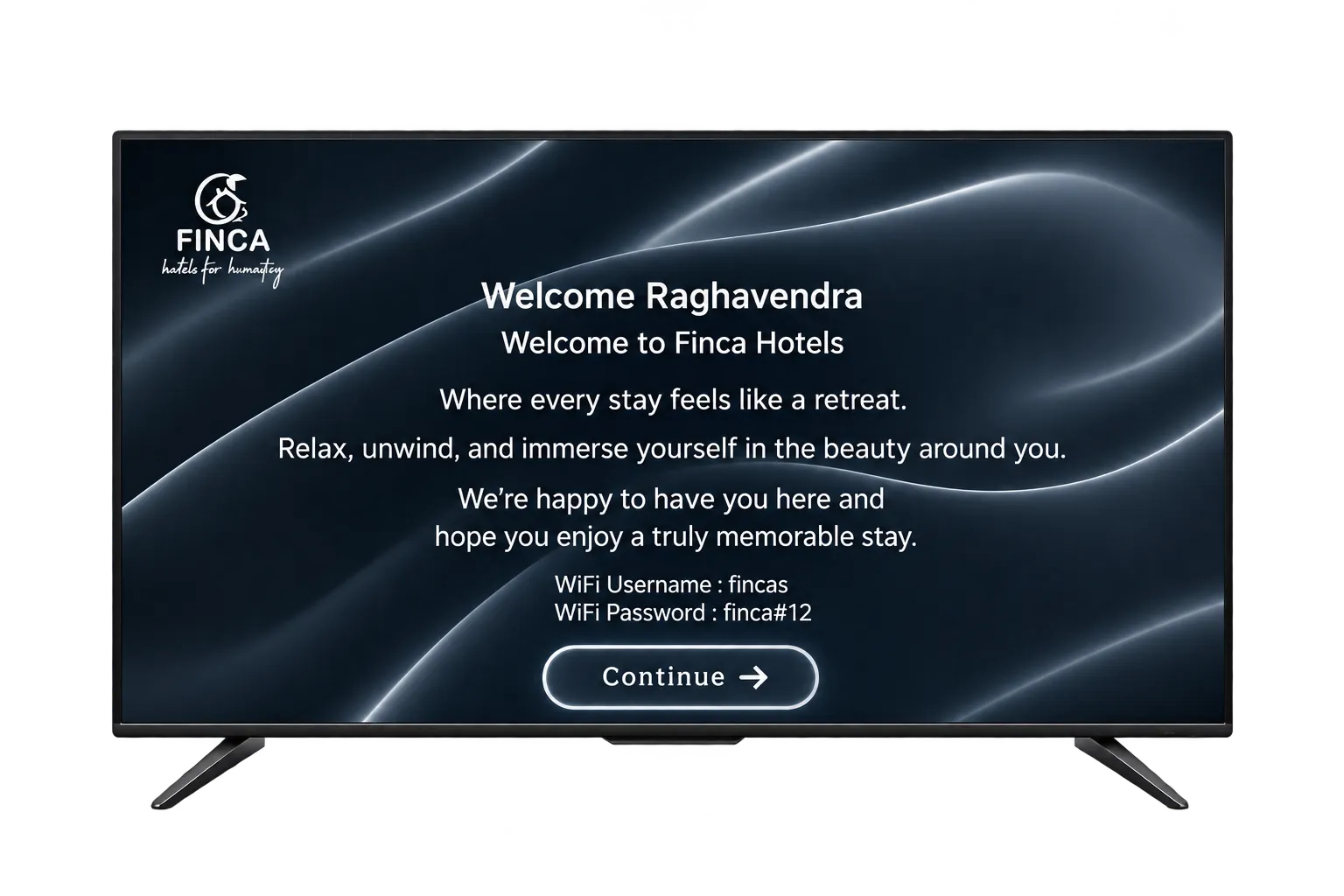
Upgrade compatible existing hotel TVs with a compact Grooviz device, without replacing the televisions.
How the deployment works
Grooviz uses a device-based model. A compact Grooviz media device plugs into a spare HDMI port on the room’s existing television and draws power locally. The TV is retained; the device adds the smart layer on top of it.
- One Grooviz device is installed per television that you want to upgrade. Each device is paired to its room from the admin dashboard.
- The television is not modified or replaced — it continues to work as before and simply switches to the Grooviz HDMI input to show the branded guest experience.
- There is no set-top box subscription model and no per-TV manual software setup: once paired, each device pulls its branding, channel lineup, menus and room assignment from the cloud.
Grooviz is deployed as an HDMI device per TV. We do not require — or claim — a direct-to-TV firmware install. If your group has a specific integration requirement, raise it during the compatibility assessment.
What actually changes
Your existing TV — kept
The television stays in the room. No replacement.
A compact Grooviz device — added
Plugged into a spare HDMI port and powered locally.
The software layer — on top
Branding, channels, menus and services on the HDMI input.
The retained television showing the Grooviz interface delivered by the added device.
Will our televisions work?
"Compatible" has a specific meaning rather than "any standard TV". A television is supported when it meets the conditions below. We confirm the exact list for your property during the compatibility assessment.
- The TV has at least one free HDMI input the Grooviz device can use.
- The TV can be set, and ideally locked, to that HDMI input as its default source so guests start on the Grooviz experience.
- Mains power is available near the TV for the device’s power supply.
- Resolution, remote-control behaviour and any models we have found to be unsupported are confirmed per property in the assessment — we don’t assume every set qualifies.
What network is needed?
Grooviz is cloud-managed, so each device needs a reliable network path to the internet. We qualify the "no wiring changes" claim honestly: no television rewiring is required, but your existing property network must meet the deployment requirements.
- Wired Ethernet to each device is recommended for the most stable experience; Wi-Fi is supported where cabling isn’t practical.
- The property network must provide enough bandwidth and coverage for live TV and OTT streaming in the rooms you are upgrading.
- Any network capacity or coverage gaps are identified during the assessment so they can be addressed before go-live — rather than discovered during rollout.
How is it installed?
Connect the device
Plug the Grooviz device into a free HDMI port on the existing TV and connect its power supply.
Connect the network
Connect the device to the network — wired Ethernet is recommended, Wi-Fi is supported.
Pair the room
Switch the TV to the Grooviz HDMI input and pair the device to its room from the admin dashboard.
Go live
Once paired, the device pulls branding, channels, menus and room settings from the cloud and the room is live — no per-TV configuration on site.
Central vs. in-room: Everything above HDMI is configured centrally (branding, channel lineup, menus, services, room assignment). The only physical step in each room is connecting the device to HDMI and power and selecting the Grooviz input.
Who supplies and owns the device?
Commercial terms are agreed per property. Rather than quote fixed figures here, we confirm the supply, ownership, warranty and replacement model with you directly.
- Devices can be provided through purchase, rental or a bundled arrangement depending on the engagement.
- Ownership, warranty cover and the replacement process for a failed device are set out in your proposal.
- Spares and replacement responsibility are agreed up front so there is no ambiguity after go-live.
Can we start small?
Yes. You don’t have to commit the whole property on day one.
- Start with a compatibility assessment of your current TVs and network.
- Run a pilot on a small set of rooms to validate the experience in your environment.
- Expand to the full property once you’re satisfied. A typical rollout runs about 7-14 days from pilot to full property. The exact timeline depends on room count, network readiness (wired Ethernet availability or Wi-Fi coverage), the number of TVs to pair, and the scope of branding and menu configuration confirmed during the assessment.
Exact pilot scope and commercial terms are confirmed with your team as part of the assessment.
Common questions
Does every room need a device?
Yes. Grooviz uses a device-based model: one compact device is installed per television you want to upgrade, connected to a spare HDMI port and paired to its room. The TV itself is retained and is not replaced.
Do we have to replace our televisions?
No. There is no television replacement. Compatible existing TVs are kept; the Grooviz device adds the smart guest experience over HDMI.
Will any television work?
Not every set automatically qualifies. A TV is supported when it has a free HDMI input, can default (ideally lock) to that input, and has mains power nearby. We confirm supported models, resolutions and remote behaviour for your property in a compatibility assessment.
Does it need new wiring?
No television rewiring is required. However, each device needs network connectivity — wired Ethernet is recommended, Wi-Fi is supported — and your existing property network must meet the streaming bandwidth and coverage requirements, which we check before deployment.
Who owns the device and handles replacements?
Supply (purchase, rental or bundled), ownership, warranty and replacement responsibility are agreed per property and set out in your proposal.
Not sure if your TVs qualify?
Get a free compatibility assessment of your current televisions and network, with pilot scope and commercial terms confirmed for your property.
Check My Hotel TV CompatibilityExplore all features
SMART TV
Smart TV Conversion
Current pagePRIVACY
Automatic OTT Logout for Hotel TVs
Learn moreSTREAMING
Live TV, IP TV & OTT Streaming
Learn moreAI
Multi-Lingual AI Concierge & Chatbot
Learn moreFOOD
In-Room Food & Service Ordering
Learn moreEVENTS
Live Wedding & Event Streaming to Selected Rooms
Learn moreOPERATIONS
Central Admin Dashboard & Staff Tools
Learn moreGUEST PASS
Self Check-In with GuestPass
Learn moreReady to see it on your TVs?
Upgrade every room screen with no hardware replacement. Talk to our team for a tailored walkthrough.
Get in touch