Self Check-In with GuestPass
A front-desk accelerator: guests scan a QR code and submit their information and identity documents from their phone, so your team arrives at an already-populated record to review. This page is precise about what GuestPass does — it collects and submits identity information for staff review, rather than asserting an unattended legal verification — and how it fits your existing process.
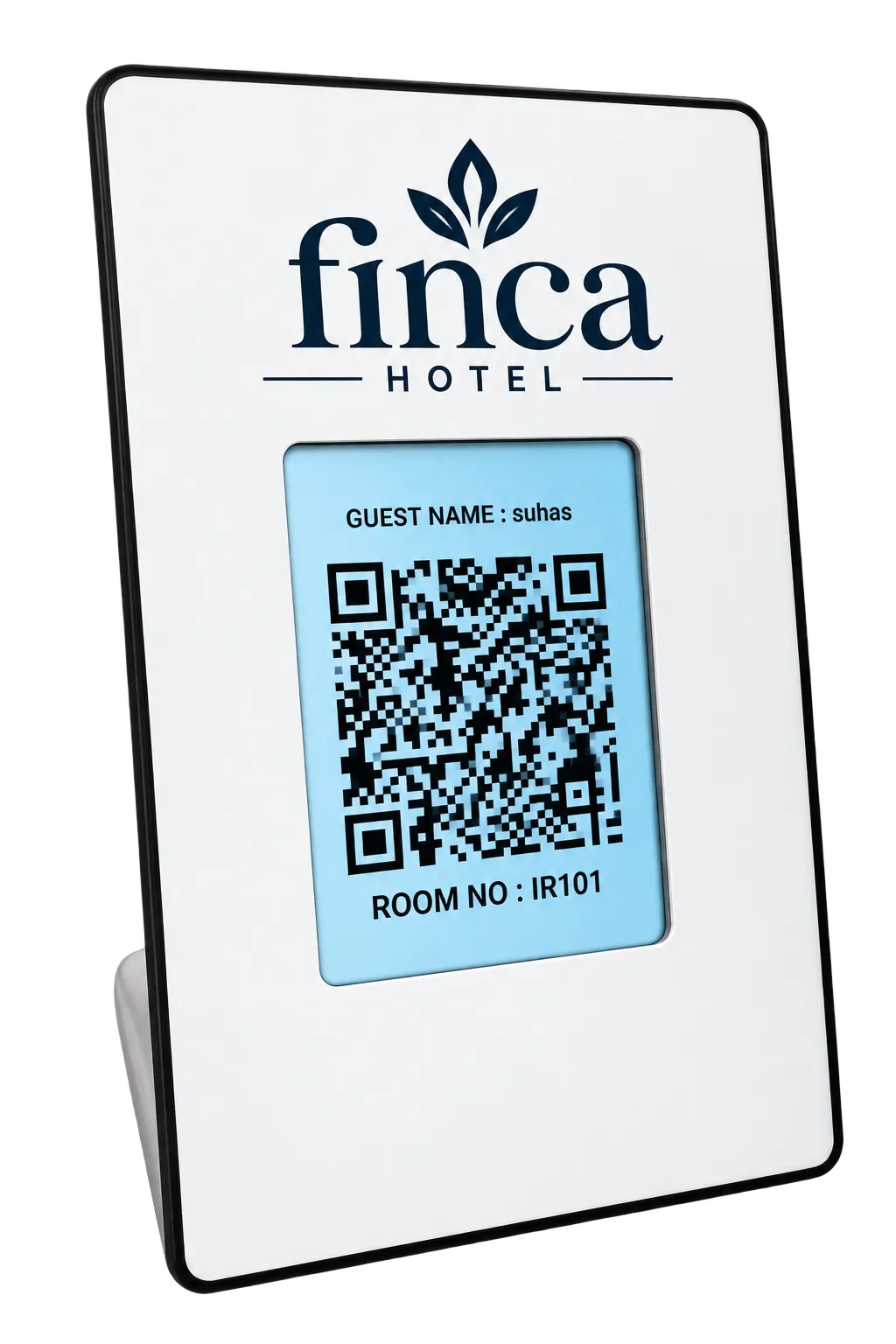
GuestPass collects guest details and identity documents contactlessly and routes them to your front desk for review and approval — speeding up check-in while keeping a staff member in control.
What GuestPass does — and doesn’t
Being precise here matters. GuestPass is a collection-and-review tool, not a claim that identity is legally verified without a person.
- It collects the guest’s details and identity documents and submits them to your front desk.
- A staff member reviews the submitted information and approves (or completes) the check-in.
- It speeds up and declutters reception; it does not, on its own, make a legal determination that an identity is verified.
We distinguish identity collection from identity verification. GuestPass collects and routes information for staff review; any statement about regulatory compliance is confirmed with your property rather than asserted here.
What actually changes
A QR code — the only hardware
Guests scan with their own phone; no kiosk or extra device needed at reception.
Guest details — submitted in advance
Name, ID and documents collected from the guest's phone before they reach the desk.
Staff review — still in place
Your front desk reviews and approves each submission; check-in stays under staff control.
Guest details submitted from the phone; staff review and approve at the front desk.
Supported methods
Guests can provide identity through supported document methods. The exact methods enabled are confirmed for your property.
- Methods can include DigiLocker-sourced documents, Aadhaar, PAN or Driving Licence, depending on what’s enabled.
- The current document-processing capability — what is captured versus what is checked — is explained accurately during the walkthrough.
- Where a method only captures a document image (rather than programmatically verifying it), we say so.
The reception & guest workflow
Both sides of the desk are involved. A typical flow:
- At reception, the guest scans a QR code, which opens GuestPass in their phone browser (no app).
- The guest enters their details and provides identity through a supported method.
- The submission appears for your front desk to review; staff approve or follow up as needed.
How guest data is handled
Collected
Guest details and documents are collected through the guest’s own device at check-in.
Accessed
The information is made available to authorised front-desk staff for review.
Retained
Retention follows your property’s policy and the applicable data-handling terms.
Policy
How personal data is processed is covered by the Grooviz privacy policy, linked from the site footer.
Central vs. in-room: The guest-facing collection runs on the guest’s device; access and approval sit with your authorised staff, under your property’s data-handling policy.
Fit with your process & charges
GuestPass is meant to slot into how your desk already works, with commercial terms agreed up front.
- It complements your existing check-in process rather than forcing a new one; the integration points are confirmed per property.
- Any per-verification or per-document charges are set out in your proposal, not implied as free.
- Where a PMS or existing system is involved, the hand-off is agreed during setup.
See it before you commit
Validate the exact behaviour and terms for your property.
- Walk through the full reception and guest workflow end to end.
- Confirm the supported document methods and exactly what is collected vs. checked.
- Agree integration, per-verification charges and data-handling in writing.
Any broad compliance statement is substantiated or revised by the responsible team before it’s published — this is content accuracy, not a legal determination.
Common questions
Does GuestPass complete check-in or just collect information?
It collects the guest’s details and identity documents and submits them to your front desk; a staff member reviews and approves/completes the check-in. It accelerates reception rather than replacing staff judgement.
Is this identity verification?
We distinguish collection from verification. GuestPass collects and routes identity information and documents for staff review. What is actually checked programmatically versus captured for a person to review is explained accurately in the walkthrough.
Which document methods are supported?
Depending on what’s enabled for your property, methods can include DigiLocker-sourced documents, Aadhaar, PAN or Driving Licence. The exact enabled set is confirmed with you.
How is guest data handled and retained?
Collected data is made available to authorised staff and retained under your property’s policy and the applicable terms. Processing of personal data is covered by the Grooviz privacy policy linked in the footer.
Are there per-verification charges?
Any per-verification or per-document charges are set out in your proposal and confirmed up front rather than assumed to be included.
Want to see the exact workflow?
Book a walkthrough to see the reception and guest steps, the supported document methods, how staff review and approve, how it fits your existing process, and any per-verification charges and data-handling details.
Book a GuestPass WalkthroughExplore all features
SMART TV
Smart TV Conversion
Learn morePRIVACY
Automatic OTT Logout for Hotel TVs
Learn moreSTREAMING
Live TV, IP TV & OTT Streaming
Learn moreAI
Multi-Lingual AI Concierge & Chatbot
Learn moreFOOD
In-Room Food & Service Ordering
Learn moreEVENTS
Live Wedding & Event Streaming to Selected Rooms
Learn moreOPERATIONS
Central Admin Dashboard & Staff Tools
Learn moreGUEST PASS
Self Check-In with GuestPass
Current pageReady to see it on your TVs?
Upgrade every room screen with no hardware replacement. Talk to our team for a tailored walkthrough.
Get in touch